
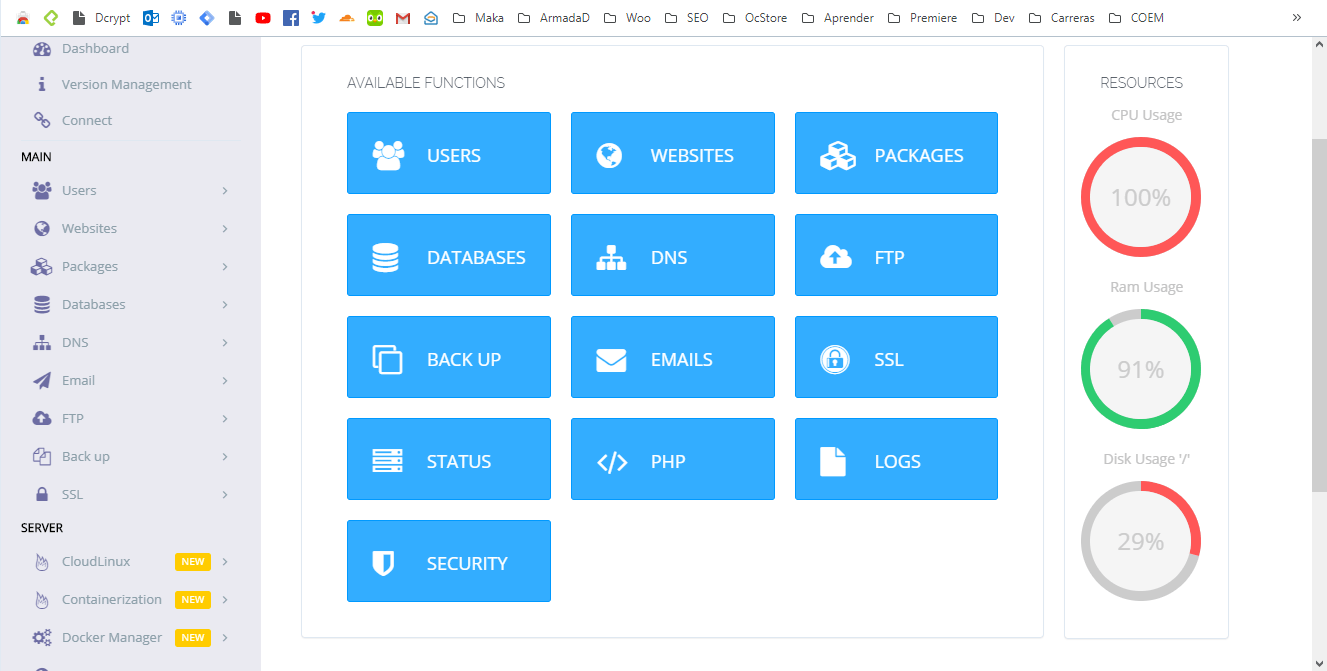
CyberPanel users have recently encountered a serious issue of continuous 100% CPU usage, often due to an exploit that allows attackers to use the server for crypto mining or other unauthorized processes. This guide will walk you through identifying the issue, updating CyberPanel, and using a cleanup script to resolve the problem effectively.
What’s Causing the High CPU Usage in CyberPanel?
Older versions of CyberPanel are vulnerable to exploitation, which can lead to unauthorized access and crypto mining. Hackers use these compromised servers, resulting in high CPU usage and degraded performance. To fix this, you’ll need to update CyberPanel and run a cleanup script.
Signs Your Server Might Be Affected
To recognize if your CyberPanel server has been compromised, look for the following signs:
- High CPU Usage: The CPU stays 100%, even with low traffic.
- Performance Issues: Websites may load slowly or not at all.
- Unknown Processes: Suspicious processes, often related to crypto mining, such as
minerdorxmrig.
Step 1: Update CyberPanel
To resolve the issue, first update CyberPanel to the latest version, which includes the security patch to prevent further exploitation.
Updating Instructions
sh <(curl https://cyberpanel.net/update.sh || wget -O - https://cyberpanel.net/update.sh)This command updates CyberPanel to the latest version with security fixes.
Step 2: Run the Cleanup Script
For servers that may already be compromised, a dedicated cleanup script is available. This script will terminate unauthorized processes and remove any malicious files related to crypto mining.
How to Run the Cleanup Script
wget https://raw.githubusercontent.com/shbs9/CPupgradebash/refs/heads/main/withusd.sh -O withusd.sh
chmod +x withusd.sh
./withusd.sh
This script performs several actions to clean your server:
- Identifies and kills unauthorized processes: Stops crypto mining or high CPU processes.
- Removes related files: Searches and deletes mining-related files.
- Restarts essential services: Ensures unauthorized processes do not restart.
Verifying the Cleanup
After running the script, monitor your server to ensure performance has improved:
- Check CPU usage to confirm it’s no longer at 100%.
- Review server logs for any residual suspicious activity.
Final Tips for CyberPanel Security
- Keep CyberPanel Updated: Regular updates provide crucial security fixes.
- Monitor Server Logs: Identify unusual activity early to avoid similar issues.
By following these steps, you can resolve CyberPanel’s 100% CPU usage issue and protect your server from unauthorized activity.